


Best Singing Tools for Vocal Training and Performance (2026)
 Tyler Connaghan
 Music producer, Singer
02/09/26 | Last modified: 02/09/26
Most singers have finished a practice session thinking, “Great. I sang a lot, but did I actually get any better?” This is usually when practice lacks clear structure or feedback. Consistency can be helpful, but on its own, it’s usually not enough.
That’s why singing tools exist. They can’t magically improve your voice, but they can give you clearer feedback, a better sense of awareness, and more intentional practice.
The problem is that the market is crowded. From pitch-training apps to microphones, tuners, and vocal analysis software, everything promises results, but very little explains who it’s for or how it actually helps.
This guide cuts through the noise by breaking down singing tools I’ve personally evaluated hands-on and via feedback from other working singers.
How We Evaluated the Best Singing Tools
Before we get into it, I want to be clear about how every item on this list was evaluated.
Each tool was assessed through a combination of research, expert insight, and real-world use considerations. We focused on how these tools function in actual practice sessions and, wherever possible, cross-checked claims against user feedback and educator commentary so that we weren’t relying solely on marketing language.
All tools were evaluated using the following criteria:
- Primary Use Case: What the tool is designed to do best, and where it fits in a singer’s training workflow.
- Key Features: Core functions that materially affect vocal practice
- How It Helps Singers Improve: Clear, practical benefits for vocal skills like pitch accuracy, awareness, consistency, or control.
- Ease of Use: How intuitive the tool is for real practice and setup, and whether there’s a learning curve.
- Target Audience: Who the tool is most useful for (beginners, intermediate singers, advanced singers, or educators).
- Pricing: Upfront cost as of January 2026, subscriptions, and overall value relative to what the tool offers.
- Online Reviews & Reputation: Patterns from verified App Store and Google Play reviews and user testimonials.
- Pros & Cons: Honest strengths and limitations based on all the above.
Sources We Used
- Official product websites and documentation
- App Store and Google Play user reviews
- YouTube demos and educator walkthroughs
- Feedback from vocal coaches and instructors
- Public product specs and feature disclosures
Best Singing Tools Compared (Quick Overview)
| Tool | Category | Primary Use | Price | Rating |
| Forbrain | Auditory Feedback Device | Real-time vocal awareness | $$$ | 5/5 |
| SingTrue | Singing App | Real-time vocal awareness | $$ | 4/5 |
| Vocal Trainer | Physical SOVT Device | Breath control, vocal coordination, warmups | $$ | 4/5 |
| Shure SM58 | Microphone | Practice & Performance | $$ | 4/5 |
| VoceVista Video | Vocal Analysis | Visual pitch analysis | $$$ | 3/5 |
Forbrain – Best Overall Singing Tool for Vocal Awareness & Feedback
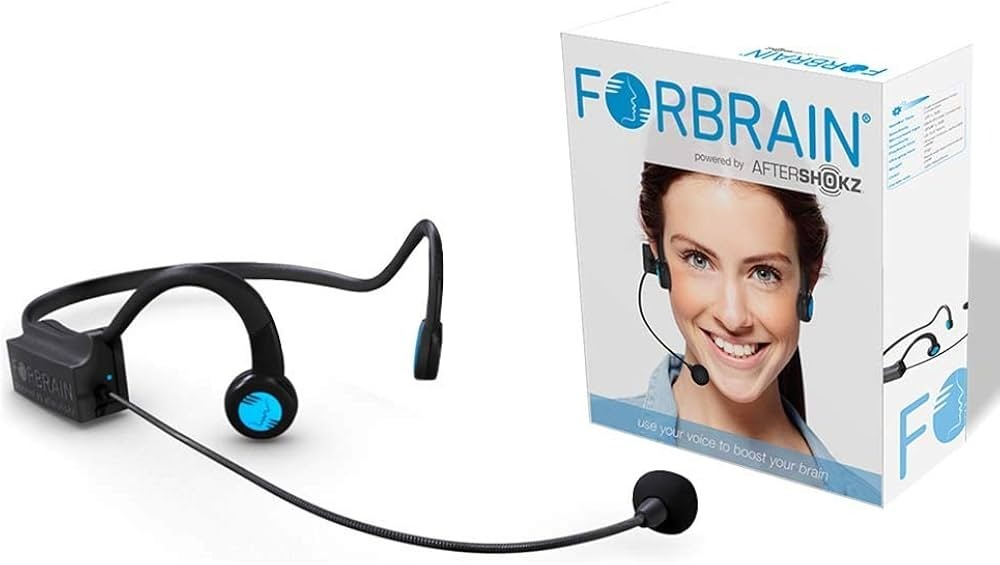
Category – Hardware
Primary Use Case
Forbrain is designed to help singers hear their own voice more clearly while they’re singing. Instead of relying on room acoustics, monitors, or delayed playback, it provides immediate auditory feedback for better vocal awareness.
Among the many modern singing tools, the focus with Forbrain is less on measurement and more on perception. Basically, how accurately you can hear what you’re doing in real time.
Key Features
- Bone-conduction technology that routes sound through the skull
- Real-time auditory feedback with no noticeable latency
- Dynamic filtering that highlights key vocal frequencies
- Wearable, lightweight, screen-free design
- No recording, apps, or external setup required
How It Helps Singers Improve
The biggest advantage of Forbrain is awareness.
When you can hear your pitch center more clearly, it becomes easier to spot small issues and self-correct quickly. With singing, we never want to lock in bad habits. Many users report feeling more consistent with pitch.
It can also make tension more obvious. If you’re singing a high note and it suddenly feels harsh or unstable, you notice it almost before it comes out of your mouth. Having that small feedback loop encourages the quickest possible real-time adjustments.
Ease of Use
Forbrain is extremely easy to use. There’s no app to download and no configuration process. You put it on, turn it on, and start singing. Since it doesn’t require a screen or recording setup, it works naturally during warm-ups, scales, movement-based exercises, or full songs.
Target Audience
Forbrain tends to work best for:
- Singers at any experience level
- Vocal coaches and teachers
- Performers working on pitch and consistency
- Anyone focused on vocal awareness rather than recording
Pricing
$299.99
Online Reviews & Reputation
User sentiment around Forbrain is generally positive, particularly for singers, educators, and speech professionals.
Reviews frequently mention clearer self-hearing, improved focus during practice, and how easily it fits into existing routines. Independent YouTube reviews and educator demos also discuss its usefulness in vocal training contexts.
Grammy-nominated singer Stacey Kent also loves Forbrain:
“I recently performed live at my first concert using Forbrain and was completely WOWED, I don’t believe I will ever perform without one again! I have tried in-ear monitors but never liked them, there is no comparison to how connected to my sound I am wearing Forbrain.”
Pros & Cons
| Pros | Cons |
| Real-time feedback with no delay | Higher upfront cost |
| No app, screen, or setup required | Hardware-only solution |
| Works during active singing | Not designed for recording |
| Improves vocal awareness | Limited feature customization |
| Easy to integrate into lessons | Best used in short sessions |
Forbrain doesn’t replace regular vocal training, but it does help strengthen the feedback singers rely on while they’re doing it.
SingTrue – Best Singing App for Pitch Training Beginners
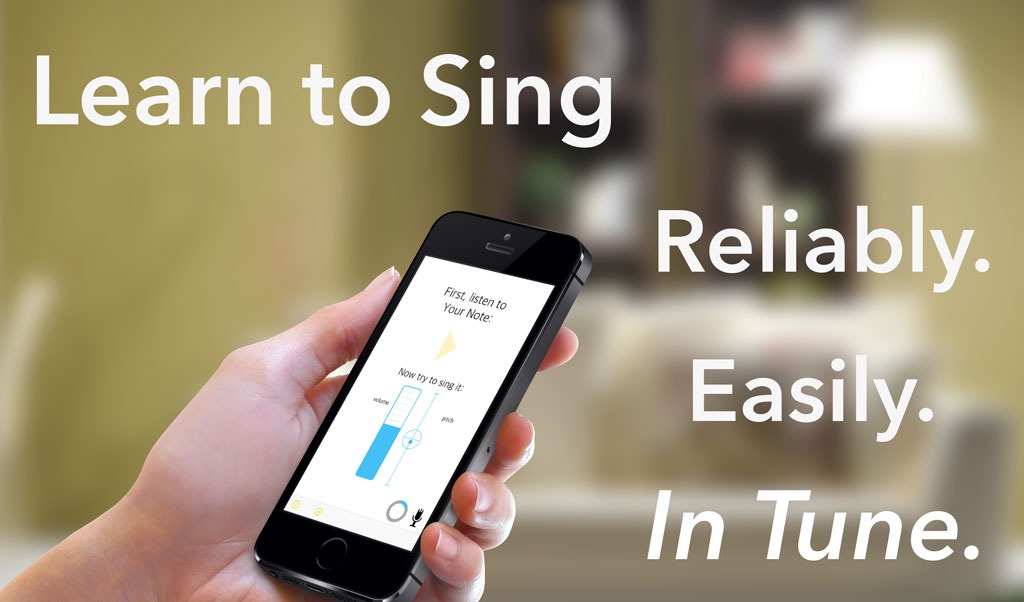
Category: Singing Apps
Primary Use Case
SingTrue is a mobile app built to help beginners develop basic pitch accuracy and pitch-matching skills. Its main job is training the connection between what you hear and what you sing, which is often the biggest early hurdle for new vocalists.
Key Features
- Interactive pitch-matching exercises
- Visual pitch feedback that shows accuracy in real time
- Gradual difficulty scaling as skills improve
- Short, focused daily training sessions
- Works with built-in mic or headphones
How It Helps Singers Improve
SingTrue focuses heavily on ear–voice coordination. Before you move forward in the app, you have to match pitches accurately, which forces you to listen carefully and use your voice in a controlled manner.
If you’re a beginner, that structure can help you deal with pitch issues early on instead of reinforcing them through repetition. Over time, this can improve your basic intonation.
That said, the feedback is mostly visual and exercise-based. You’re only training your accuracy in short drills rather than applying it directly to full songs.
Ease of Use
The app is very approachable. The interface is clean and sessions are short enough to fit into your daily practice routine. For best results, you’ll want headphones and a quiet room, since background noise can interfere with pitch detection.
The setup is minimal, but accuracy depends heavily on your phone’s microphone and environment.
Target Audience
SingTrue is best suited for:
- Beginner singers
- Self-taught vocalists just starting out
- Casual learners looking for structure
- Singers who want to improve their pitch before lessons
Pricing
SingTrue offers a free version with limited exercises, plus paid upgrades typically ranging from $7.99-$12.99.
Online Reviews & Reputation
App store reviews are generally positive, especially from beginners. Users often praise its accessibility and clear structure. More experienced singers, however, frequently note that the app lacks depth once basic pitch-matching skills are established.
It’s a good starting point, but certainly not a long-term training system.
Pros & Cons
| Pros | Cons |
| Affordable entry point | No real-time feedback while singing full songs |
| Very beginner-friendly | Limited value for advanced singers |
| Structured, guided lessons | App-only experience |
| Clear visual pitch feedback | Dependent on mic and environment |
SingTrue is best as a first step before moving on to more advanced singer tools.
Vocal Trainer by Better Voice – Best SOVT Tool for Breath Control & Range Stability
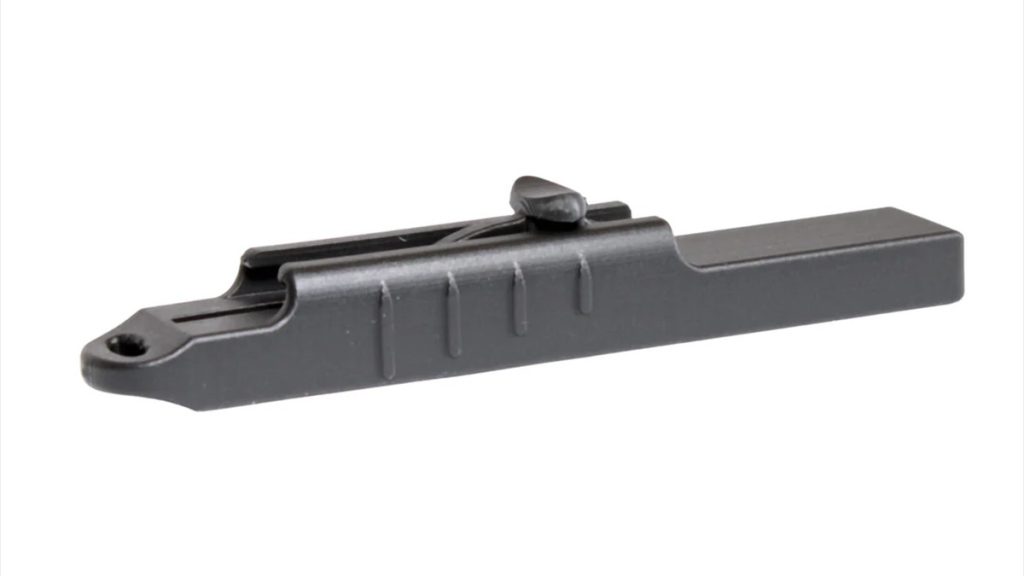
Category: Physical Vocal Training Tools
Primary Use Case
The Vocal Trainer by Better Voice is a compact, adjustable semi-occluded vocal tract (SOVT) device designed to help singers improve breath control, vocal stability, and range coordination. It’s primarily used in warm-ups and during technical exercises to reduce strain and improve efficiency before you get into regular singing.
Key Features
- Adjustable resistance lever for customized back pressure
- SOVT-based design to support healthy vocal fold vibration
- Compact, lightweight, and wearable form factor
- Quiet operation suitable for home or shared spaces
- Medical-grade, biocompatible resin construction
How It Helps Singers Improve
The Vocal Trainer works by creating controlled back pressure in the vocal tract, a principle widely used in vocal pedagogy through straw phonation and other SOVT exercises. This back pressure helps balance airflow and vocal fold closure, reducing strain and improving consistency across registers.
In practice, it’s great for smoothing out vocal breaks and warming up the voice more efficiently before you get into rehearsals or performances. Since the resistance is adjustable, it’s great for both gentle warm-ups and more focused control work.
It’s not a feedback tool in the auditory or visual sense, but it’s a great physical coordination tool, especially for breath management and learning to transition between your ranges.
Ease of Use
Using the Vocal Trainer is easy. Adjust the resistance to a comfortable level, create an airtight seal with the lips, and vocalize through the device using scales, arpeggios, or sustained notes. There’s no app or setup process, so it’s easy to integrate into your daily practice.
Target Audience
The Vocal Trainer is best suited for:
- Singers working on breath control and range stability
- Performers who want efficient, low-impact warm-ups
- Vocalists dealing with strain or vocal fatigue
- Singers familiar with or curious about SOVT exercises
Pricing
$44.95
Online Reviews & Reputation
Online feedback for the Vocal Trainer is mixed but generally thoughtful, especially when you look beyond brand-owned testimonials and into long-form user discussions.
Many singers note they can feel the benefits, especially when used consistently as a warm-up or coordination tool, particularly for breath control and reducing strain.
Several users who previously relied on traditional straw phonation note that the adjustable resistance makes it easier to dial in the right amount of back pressure, which they feel translates to better control and smoother transitions between registers over time.
Pros & Cons
| Pros | Cons |
| Supports healthy breath–voice coordination | No pitch or auditory feedback |
| Adjustable resistance for different skill levels | Best used as a warm-up, not standalone training |
| Portable and quiet | Technique benefits depend on consistent use |
| Replaces disposable SOVT straws | Less informative without prior vocal knowledge |
The Vocal Trainer is an excellent physical efficiency tool for singers who want a reliable, low-impact way to warm up.
Shure SM58 – Best Microphone for Vocal Practice & Performance
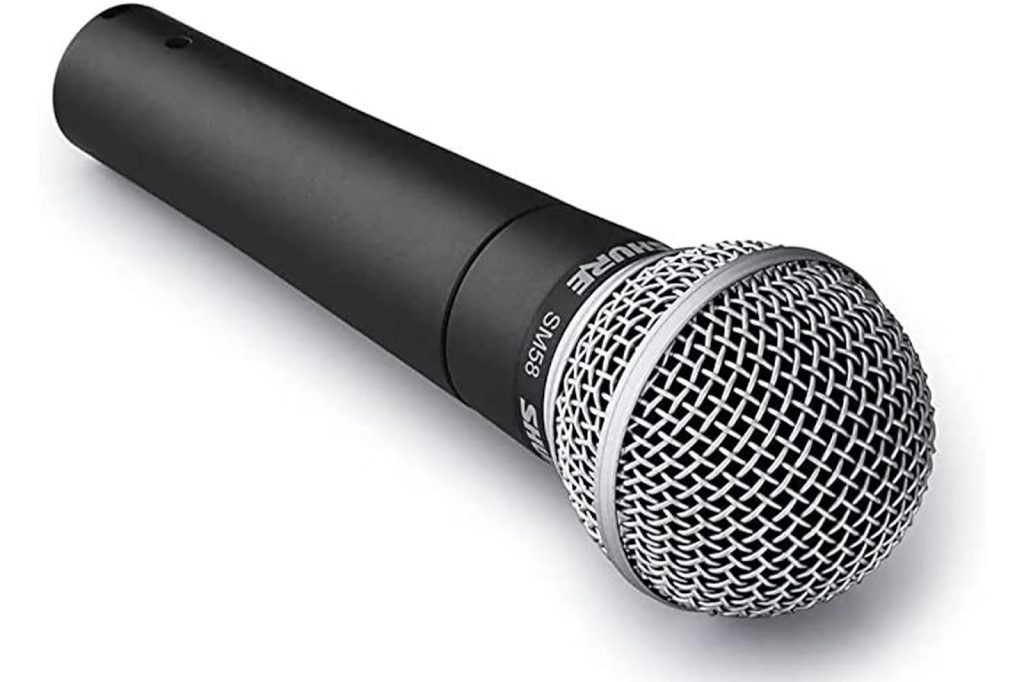
Category: Microphones for Practice
Primary Use Case
The Shure SM58 was introduced back in 1966, and to this day, it’s one of the best dynamic microphones for live vocals. It’s also widely used for vocal practice and rehearsal.
The beauty of the SM58 is that it’s designed to handle real-world singing conditions, making it a go-to mic for performers who want their practice setup to mirror the stage as closely as possible.
Key Features
- Industry-standard dynamic microphone used worldwide
- Handles loud vocals without distortion
- Cardioid pickup pattern reduces background noise
- Extremely durable, stage-ready construction
- Consistent sound across different environments
How It Helps Singers Improve
The SM58 can help you improve by letting you hear your voice through amplification, which changes how you perceive volume, tone, and projection. Practicing with a microphone can reveal habits that you may not notice acoustically, like over-pushing or inconsistent diction.
It’s especially useful if you’re preparing for a live show. You can learn how close to the mic to sing, how your tone carries through the speakers, and how little technique changes can affect the way you sound. While it doesn’t provide pitch correction or visual feedback, it can help you become a better performer in a very practical way.
Ease of Use
From a hardware standpoint, the SM58 is as simple as it gets. Plug it in and sing. For home practice, though, you’ll need additional equipment, such as an audio interface, a mixer, or a powered speaker. Once that’s set up, it’s super reliable and low-maintenance.
Target Audience
The SM58 is best suited for:
- Performing singers
- Gigging musicians
- Vocalists preparing for live shows
- Singers who want realistic stage-style practice
Pricing
$100
Online Reviews & Reputation
The SM58 has a legendary reputation in the music world. It’s trusted by professionals across the industry and consistently praised for reliability, durability, and predictable sound.
Reviews rarely focus on it as a “training tool,” but its role in live vocal performance is almost unmatched.
Pros & Cons
| Pros | Cons |
| Extremely durable | Requires extra equipment |
| Realistic live-performance feel | No pitch or technique feedback |
| Reliable, consistent sound | Not training-specific |
| Industry-standard mic | Setup less portable than apps |
The Shure SM58 isn’t a tool to help you with analysis or correction. But if your goal is to practice singing the way you’ll actually perform, it’s hard to beat.
VoceVista Video – Best Vocal Analysis Software
Category: Vocal Analysis Software
Primary Use Case
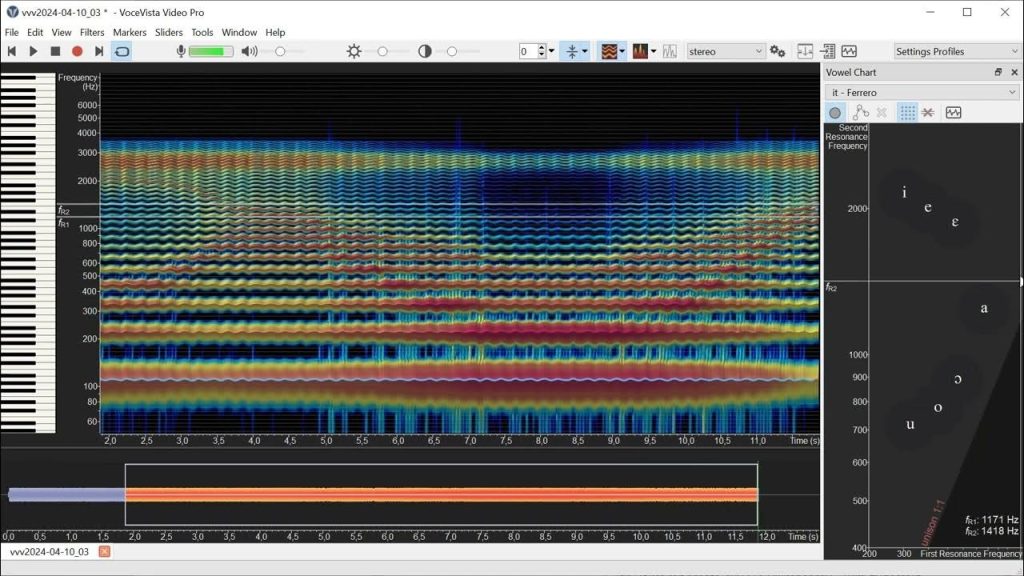
VoceVista Video is a desktop-based vocal analysis program designed for in-depth, post-performance analysis of the singing voice. It’s not a practice app or a feedback tool you use while singing. Instead, it’s built for closely examining recordings to understand what’s happening under the hood.
Key Features
- High-resolution spectrograms for detailed frequency analysis
- Precise pitch tracking over time
- Vibrato speed and extent visualization
- Formant and harmonic analysis tools
- Frame-by-frame audio–visual playback
How It Helps Singers Improve
VoceVista Video can help you improve by making your invisible vocal behaviors visible. Advanced singers and coaches can use this to analyze recordings and see exactly how pitch stability, vibrato width, and resonance change across registers or phrases. This is especially useful for diagnosing persistent technical issues that aren’t obvious by ear alone.
For pedagogues, it can provide concrete visual evidence to support instruction. As a singer, however, it can clarify why a note feels unstable or why a certain tone sounds different than expected. That said, the improvement isn’t direct like other tools on this list. You get benefits from analysis and reflection, rather than immediate correction.
Ease of Use
This is where VoceVista draws a clear line. The software has a steep learning curve and is desktop-only. Getting familiar with spectrograms and acoustic data takes time, and if you’re a beginner, you may find the interface overwhelming. It’s best as an analytical tool instead of a casual practice aid.
Target Audience
VoceVista Video is best suited for:
- Advanced singers
- Vocal coaches and pedagogues
- Voice researchers
- University-level music programs
Pricing
VoceVista Video costs $99, and VoceVista Video Pro costs $399.
Online Reviews & Reputation
VoceVista Video is highly respected in academic and professional voice circles. It’s frequently referenced in pedagogy discussions and research contexts for its accuracy and depth.
Pros & Cons
| Pros | Cons |
| Extremely detailed analysis | Not beginner-friendly |
| Scientifically accurate | No real-time feedback |
| Excellent for teaching and research | Desktop-only |
| Ideal for advanced diagnostics | High cost |
VoceVista Video was made for singers who take precision seriously. If you’re at a level where you want to study your voice as much as sing with it, and you’re comfortable working with technical data, it’s one of the most powerful analysis tools available.
What Are Singing Tools For?
At their foundation, singing tools exist because most singers practice without truly knowing what’s happening in their voice.
The first role of singing tools is feedback. Some tools give you real-time auditory feedback, while others provide visual data and post-practice analysis. Each approach helps close the gap between what you think you’re doing and what’s actually happening when you sing.
They also build awareness. Tools can highlight patterns you might miss on your own, like bad pitch or strain that appears in certain registers. When you’re aware, you can practice intentionally.
Another major benefit is practice efficiency. Rather than repeating exercises blindly, having the right tool helps you focus on the specific skills that need work. As such, you’ll get to enjoy shorter, more productive sessions.
Which Singing Tool Is Right for You?
Picking the right singing tool depends less on what’s popular and more on where you are in your singing journey or what you’re actually trying to improve.
Beginners
At this point, your biggest needs are probably pitch awareness and consistency. Pitch-training apps or simple tuner apps can help you build the ear–voice connection, which will be the foundation for everything else you learn as a singer.
Intermediate
If you’re an intermediate singer, you’re probably working on control and stability, or refining techniques you already know. This is where we recommend tools that improve self-hearing. Being able to hear where your pitch is off or where tension creeps in, you can dramatically speed up progress.
Performer
Microphones, amplification, and tools that simulate live conditions can help you practice projection and endurance the way you’ll actually perform. While these tools won’t “fix” your technique, they’ll reveal how it holds up under pressure.
Coach or Teacher
You’ll likely use a mix of tools at this point, such as apps for your students or analysis software for deeper technical work. Tools that provide immediate, clear feedback are especially valuable when helping students connect sensation to sound.
Bottom Line
At the end of the day, not all singing tools are built to solve the same problem. Some help you visualize pitch, some help you hear it better, and some are great for performing or analyzing.
Forbrain ranks #1 in this comparison because it addresses one of the most overlooked challenges in singing, which is how accurately you hear your own voice while you’re singing. By improving real-time auditory feedback through bone conduction, it helps singers hear inconsistencies in the moment without having to rely on screens or post-practice analysis.
